A solo dev. A $5 app. No budget for a graphic designer.
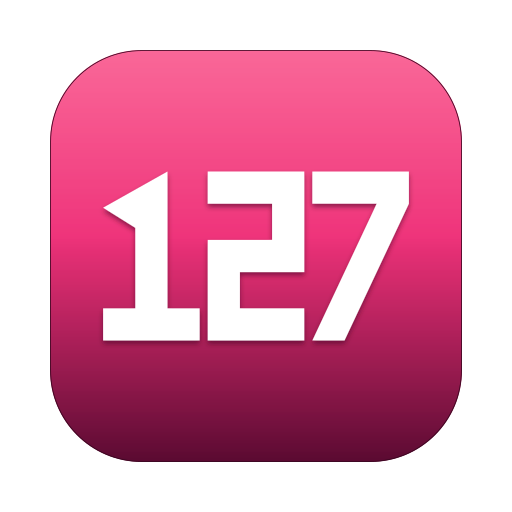
That's the icon. It won't win an Apple Design Award, but it sits in your menu bar and your Dock and doesn't make your eye apologize.
It cost me about 20% of my weekly Claude Design allowance — real tokens, on a separate meter from the rest of my Claude usage, though nowhere near designer money. And what I got back was more than a PNG.
What I tried first
The SF Symbol called network. A little globe with grid lines, looks like an Apple system service. Free, in the symbol library, takes one line of Swift.
It was fine. It also made the app look exactly like every other half-baked menu bar tool. Indistinguishable.
I asked around about what a "real" icon costs. Numbers came back: $300 for a basic one from someone on Dribbble, $800–$1,500 for someone with actual macOS-app fluency, who'd hand me a properly-tested set across 16 × 16 to 1024 × 1024. For a $5 app trying to find product-market fit, those numbers don't work.
The conceptual leap I would have skipped
This part I want to give actual credit for, because I think it's the most important thing about how the icon turned out, and it didn't come from me.
My original brief was vague. "macOS menu bar app for managing localhost listeners — needs an icon." I was vaguely thinking an "LE" monogram, or some abstract globe-with-arrows thing, or the SF Symbol I'd already tried. Generic placeholders. The product name in the icon, basically.
Claude pushed back on all of that and suggested the glyph just be 127.
And the moment it said that, the icon was done. Conceptually, at least. 127 is the first octet of 127.0.0.1, the IPv4 loopback. Every developer pattern-matches that number in under a second. It is localhost. The icon doesn't just represent the product — it is the product idea, rendered in three digits.
I would have missed that. Not because I'm dumb about ports — I literally named my company around this domain — but because when you're a solo dev managing the Apple Developer Program paperwork, the licensing, the copy, the build pipeline, the Sparkle keys, the website, the support email, the pricing, the marketing post for r/macOS, every conceptual decision feels like a luxury. You default to "good enough." You ship the SF Symbol. You think "I'll pick a real glyph later."
Claude doesn't have that context-switching tax. It can hold the whole brief — product name, domain, target user, brand color, Apple's grid math — and still notice that the literal number behind the product name is the best possible glyph. That's the part that's hard to price: it noticed the thing I would have skipped.
If I'd tried to draw the icon myself, or briefed a paid designer, I'd probably still be debating LE vs. some abstract glyph by week two. With Claude there's room to recognize when the right answer is sitting in plain sight.
So I opened Claude Design — Anthropic Labs' new visual tool — with 127 as the glyph, and gave it the rest of the constraints.
The actual novelty
I want to spend a second on this because it's the part of the workflow I expected to be a parlor trick and turned out to matter.
Claude Design produces visual output — icons, mockups, design variations. Standard stuff; design tools have exported assets for years. The novelty isn't the export, or even the stable URL it hands you. It's that the tool on the receiving end — Claude Code — already knows this project: where the iconset lives, which resolutions the build needs, how the source SVG should be named. Claude Design hands over a URL; Claude Code already knows exactly where it goes.
Written down that sounds small. It changed how fast I could iterate more than anything else in this project.
Old workflow with a designer: "Here's the icon." DM'd. Saved to ~/Downloads. Renamed manually. Dropped into the right directory. Renamed again because the convention was wrong. Re-exported because the resolution didn't match the iconset spec. A week of friction per asset.
New workflow: Claude Design generates the icon, hands me a URL. I open Claude Code in this project and say: "fetch this URL and integrate it as the app icon." Claude Code reads the URL, knows the project's existing iconset layout, places the source SVG in Packaging/, regenerates every iconset PNG at the right resolutions, updates scripts/build-app.sh if needed, runs the build, drops the new icon into the menu bar so I can see it next to my existing apps in the Dock.
That whole loop — from "I want a different shade of magenta" to "the running app has the new icon" — is now a few minutes. Two tools, with a real handoff between them, both holding the project's full context.
The new part isn't that AI can draw, or that it can hand you a file — we've had both for years. The new part is that the tool receiving the asset already holds the codebase's full context, so it lands in the right place, at the right sizes, the first time.
The constraints
This is the part that still matters, regardless of tool. Without constraints, every LLM-assisted asset gives you generic. With constraints, you can squeeze decent.
What I told Claude Design:
- Glyph:
127. Every developer knows what that means. Recognizable in a quarter-second. - Color: magenta-pink squircle background. Branded. Not used by any major macOS app I install. Stands out in a sea of muted blues and greens.
- Apple's grid. macOS icons live inside a specific safe area — roughly an 824 × 824 squircle centered in a 1024 × 1024 canvas. Get this wrong and the icon looks "too big" or "too small" next to every other app in the Dock. The most common giveaway of an amateur icon.
- Slight 3D depth. Sculpted, not flat. A subtle inset on the glyph, a top highlight on the squircle. Just enough to not look like a Material Design app on a Mac.
The loop
Maybe twenty rounds in an evening:
- Claude Design generates the icon. Hands me a URL.
- Claude Code reads the URL, integrates into the iconset, runs the build, ships the icon into the running app.
- I look at it in the Dock next to my existing apps.
- "Too big." "The 7 looks weird at small sizes." "Highlight is too strong." Back to Claude Design.
- Repeat.
The first version was bad. The 127 was too thick. The squircle wasn't actually a squircle, it was a regular rounded rectangle with the wrong corner radius. At 16 × 16 the digits crushed into an unreadable blob.
By the seventh iteration we had something I'd actually ship.
The point I keep coming back to is iteration cost. A human designer, even a fast one, takes a day to deliver round two. The Claude Design + Claude Code handoff takes minutes. Twenty rounds in an evening doing what would have been a two-week back-and-forth.
Receipts
This is the part designers do well that engineers usually skip — the napkin-sketch reveal. So, in fairness:

network. What the app shipped with before any of this work. Indistinguishable from a system service.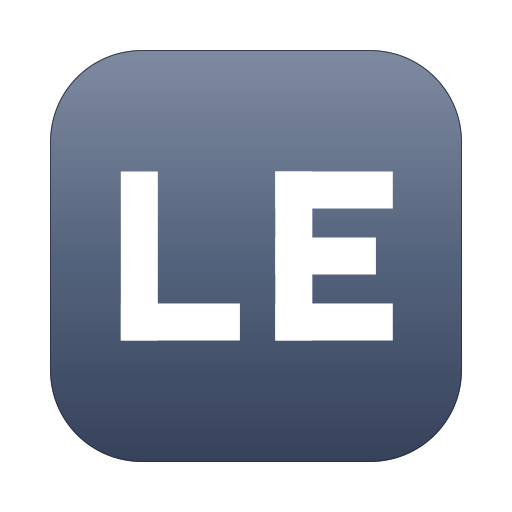
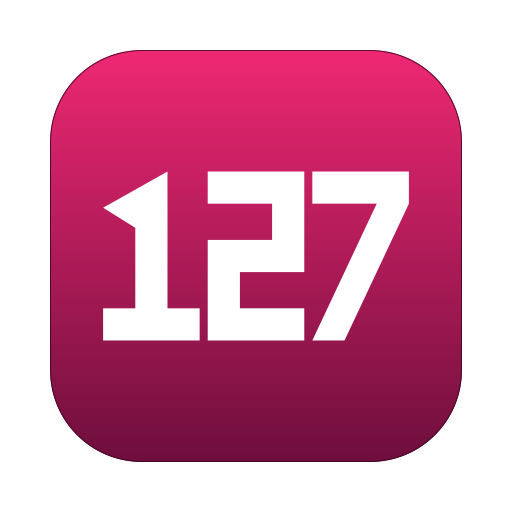
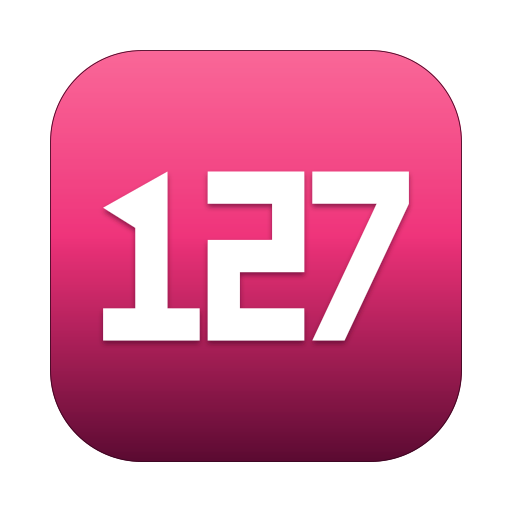
What the receipts don't show: there are roughly fifteen more states between v1 and v2 that I didn't keep. Squircle radii that were subtly off, colors that missed, a sheen that looked cheap, a weight that crushed at 16 × 16. None of it got committed because none of it was worth keeping. v1 is the first one that survived me looking at it the next morning; v2 is where I made myself stop.
What didn't work
Three things this workflow still can't do:
Know when to stop. Left to itself Claude Design kept adding "polish" — extra highlights, subtle gradients, slightly different shadows. Every iteration technically more complex, actually less good. I had to step in and say "no, fewer effects."
Judge what looks good. It can match a reference, follow a constraint, hit a specific corner radius. It cannot tell you, unprompted, "this version looks generic, this one has personality." That's still on you. You bring the eye.
Pixel-perfect typography at small sizes. The 16 × 16 and 32 × 32 versions needed Claude Code to apply manual SVG tweaks — stroke widths thickened, glyph spacing widened, shadow dropped entirely. The instinct of any generated asset is to just scale the 1024 version down, which is the universal beginner mistake. Apple's own icon team designs each size as a separate piece. We didn't do that perfectly, but we did it well enough.
The bigger story
Five years ago I'd have shipped with the SF Symbol and felt bad about it. Three years ago I might have generated something in Midjourney and then spent an afternoon fighting with file conversion and pixel alignment. Now Claude Design hands a URL to Claude Code and the icon shows up in the running app.
I don't think this replaces designers. It raises the floor: a solo dev with constraints, math, and some taste can now ship at a level that used to require a small team, while the harder, brand-defining work — where taste actually compounds — stays with the people who can do it.
If you're a solo dev sitting on a project, paralyzed because you don't know how you'd afford the assets: you can probably afford them now — not all of them, and not the ones that have to be perfect, but enough to ship.
The icon, again
It's the right size. It's branded. It sits comfortably in the Dock. It's not what a great designer would have shipped, but it's what I would have shipped if I'd had the patience, the eye, and a Dribbble account — given infinite revision rounds.
That's the deal you're getting in 2026. Two LLM tools that talk to each other, holding your project's context, with a real handoff between visual generation and code integration. The taste still has to come from you. But you don't have to also have the hand skills, the file management discipline, or the time.
I'm fine with that trade.
See it in the menu bar.
$5. One Mac. Yours to keep. No tracking, no telemetry, no account.